Install, update, clone, stage and secure WordPress sites from the hosting panel, one click each.
Overview
What AIOhPanel does
AIOhPanel is a web hosting control panel laid out the way every hosting user already knows, so nobody has to learn anything new.
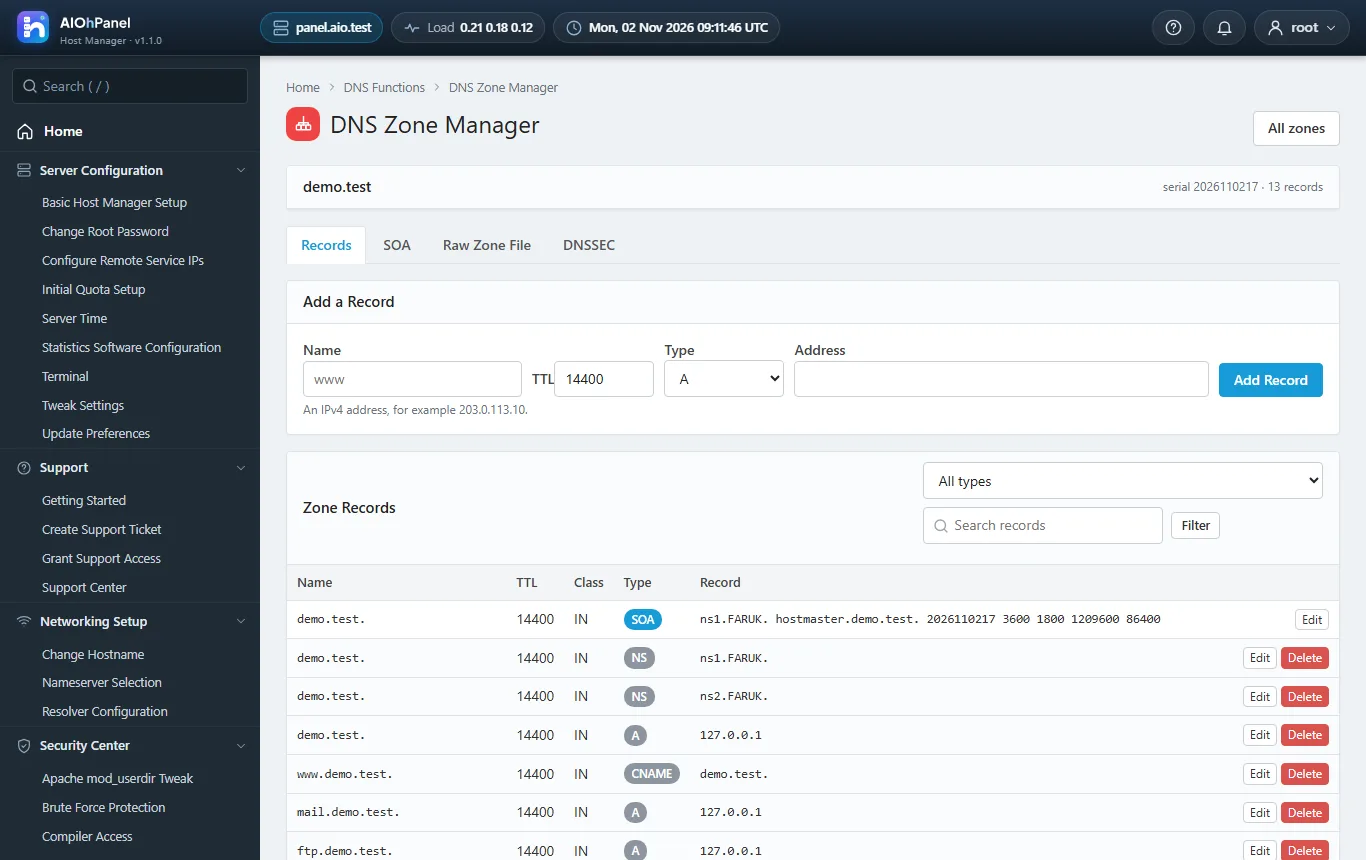
The Host Manager is the admin panel: Server Configuration, Security Center, Resellers, Service Configuration, Backup, System Health, SQL Services, IP Functions, Software, Email, Server Status, Account Information and Account Functions, Packages, DNS Functions, SSL/TLS, Themes, Plugins, Development and Restart Services - the same groups, the same functions, the same left menu with search and the same icon grid.
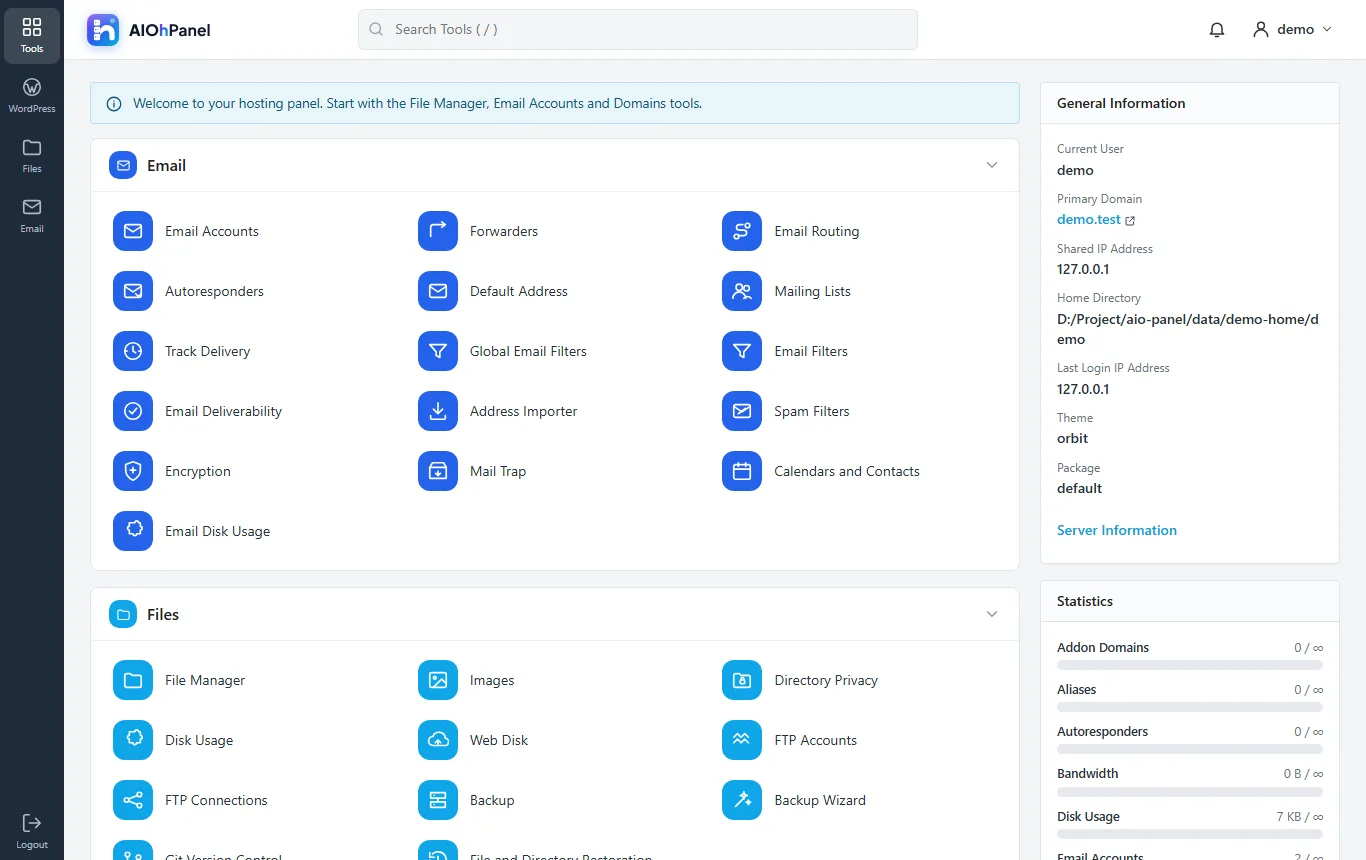
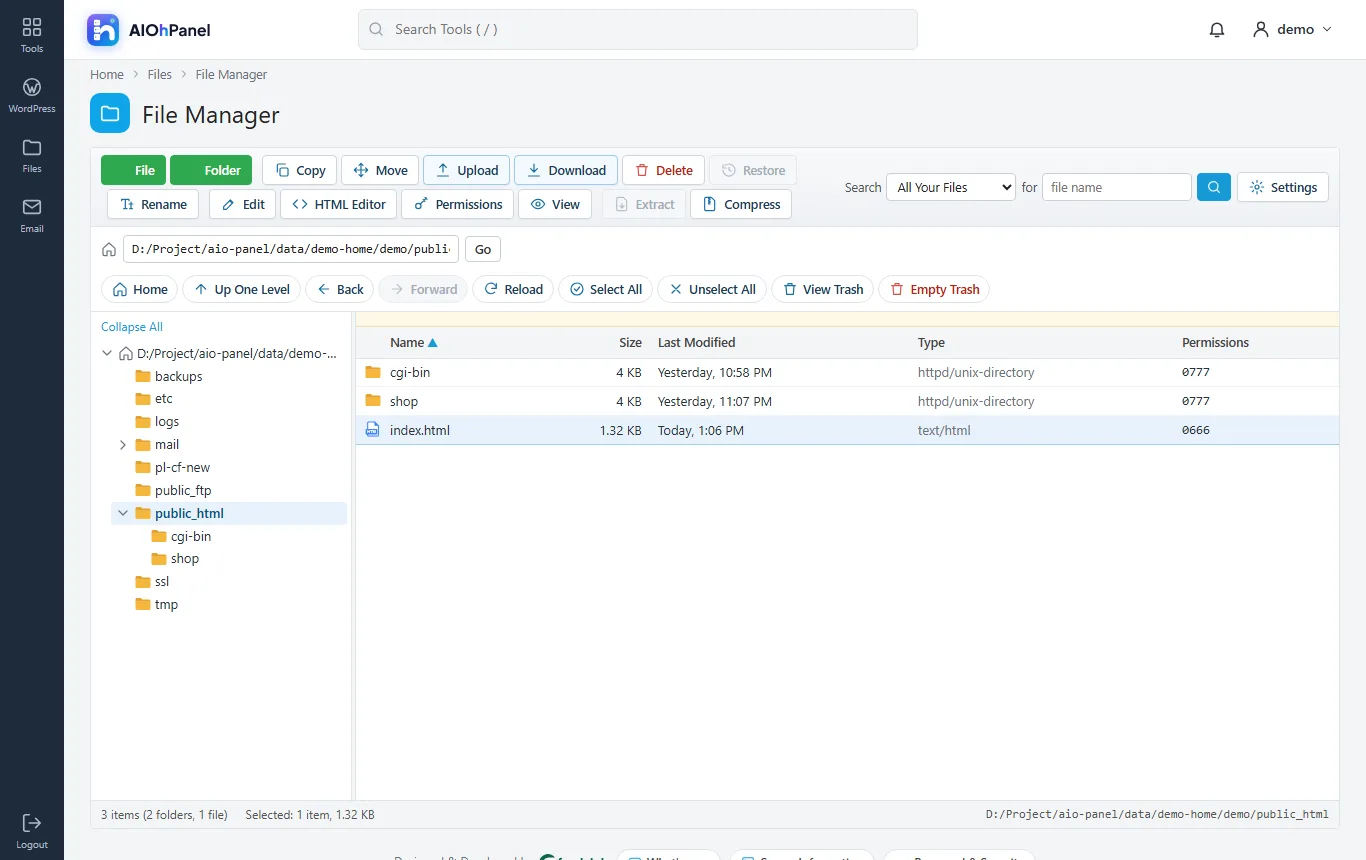
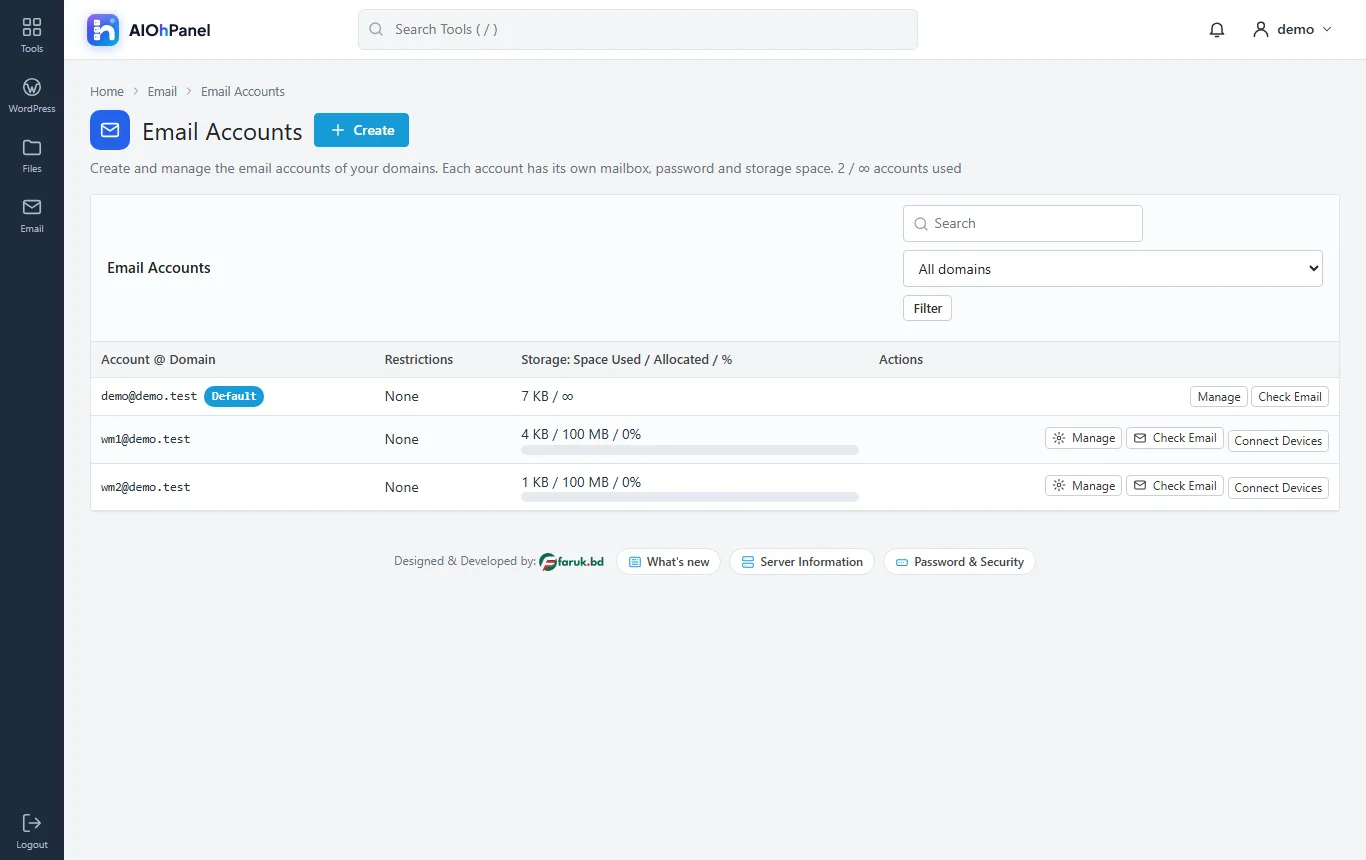
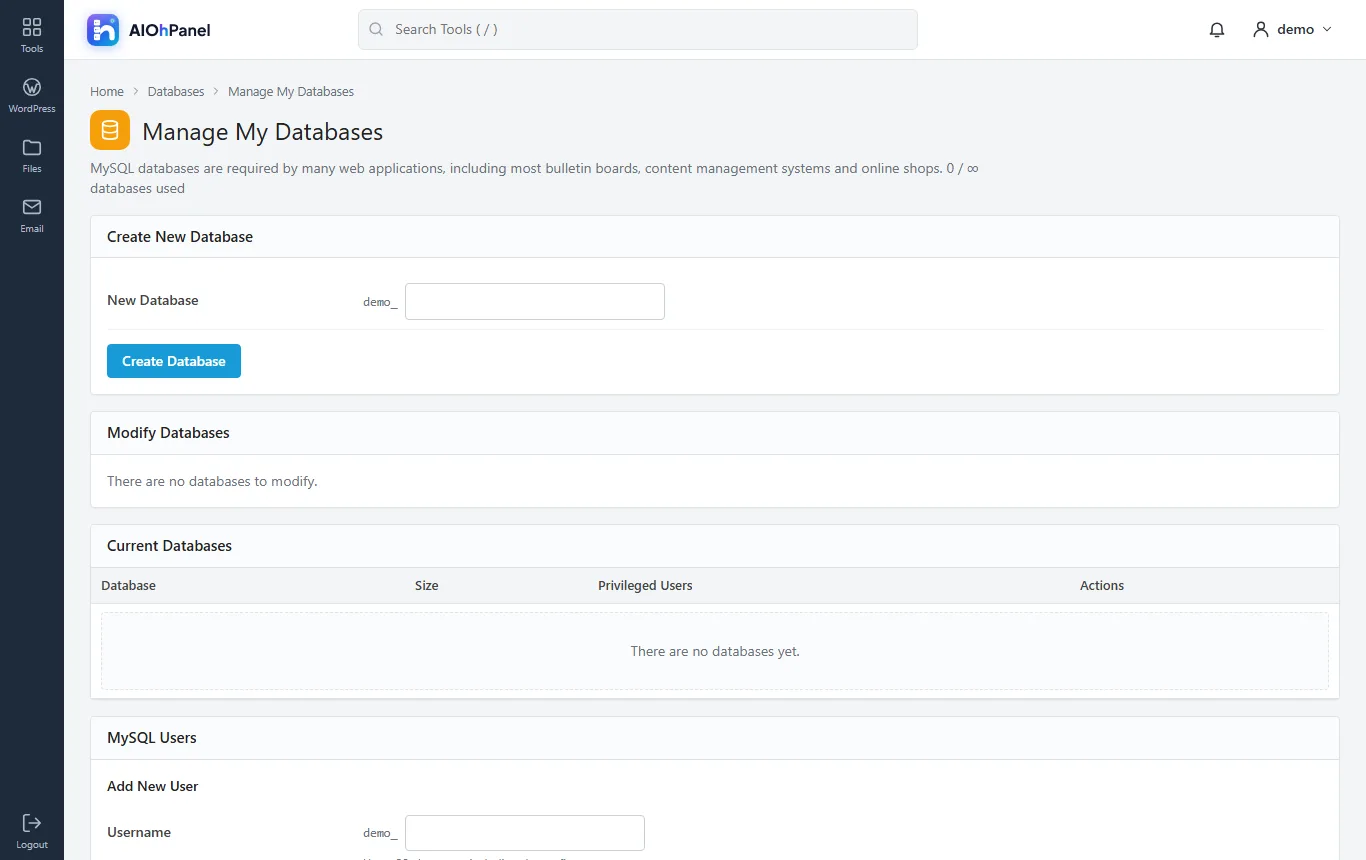
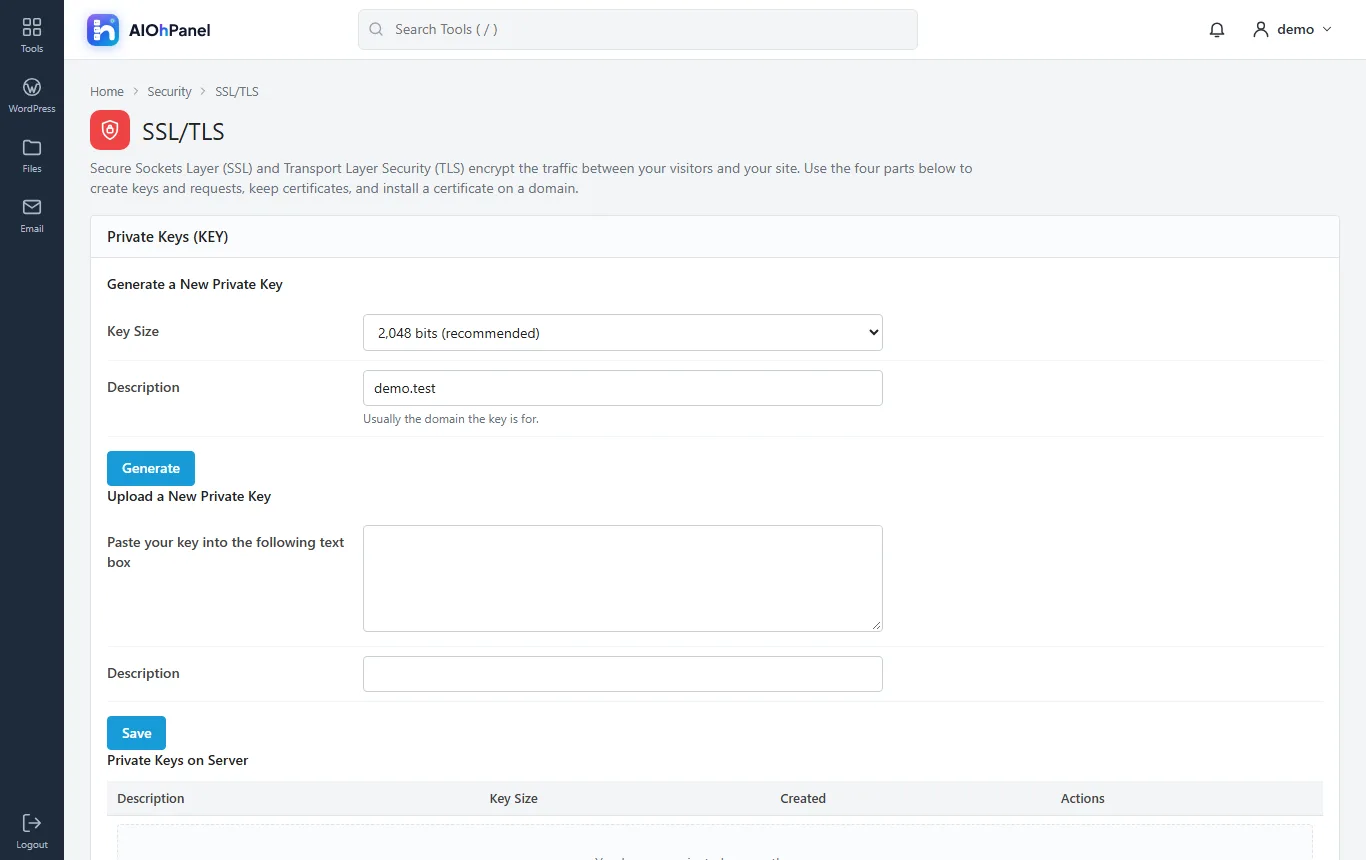
Every hosting account gets the Hosting Panel in the Orbit look: Email, Files with a full File Manager (upload, edit, HTML editor, permissions, compress, extract, trash), Databases with phpMyAdmin, Domains with the Zone Editor, Metrics, Security with SSL/TLS, Software with PHP Versions, Advanced with Cron Jobs and Terminal, Preferences - with the General Information and Statistics column on the right.
install.sh prepares a fresh Ubuntu, Debian, AlmaLinux or Rocky server in one command, the panel runs on ports 2082/2083 and 2086/2087, Auto SSL issues Let's Encrypt certificates, and the panel's own cron collects bandwidth, disk usage and service health. Plugins and themes come from lcpanel.com; the licence sets how many hosting accounts the server may hold.
Highlights
- Host Manager with every group and function, menu search, icon grid, dark sidebar
- Hosting Panel (Orbit look) with every tool group and the General Information / Statistics column
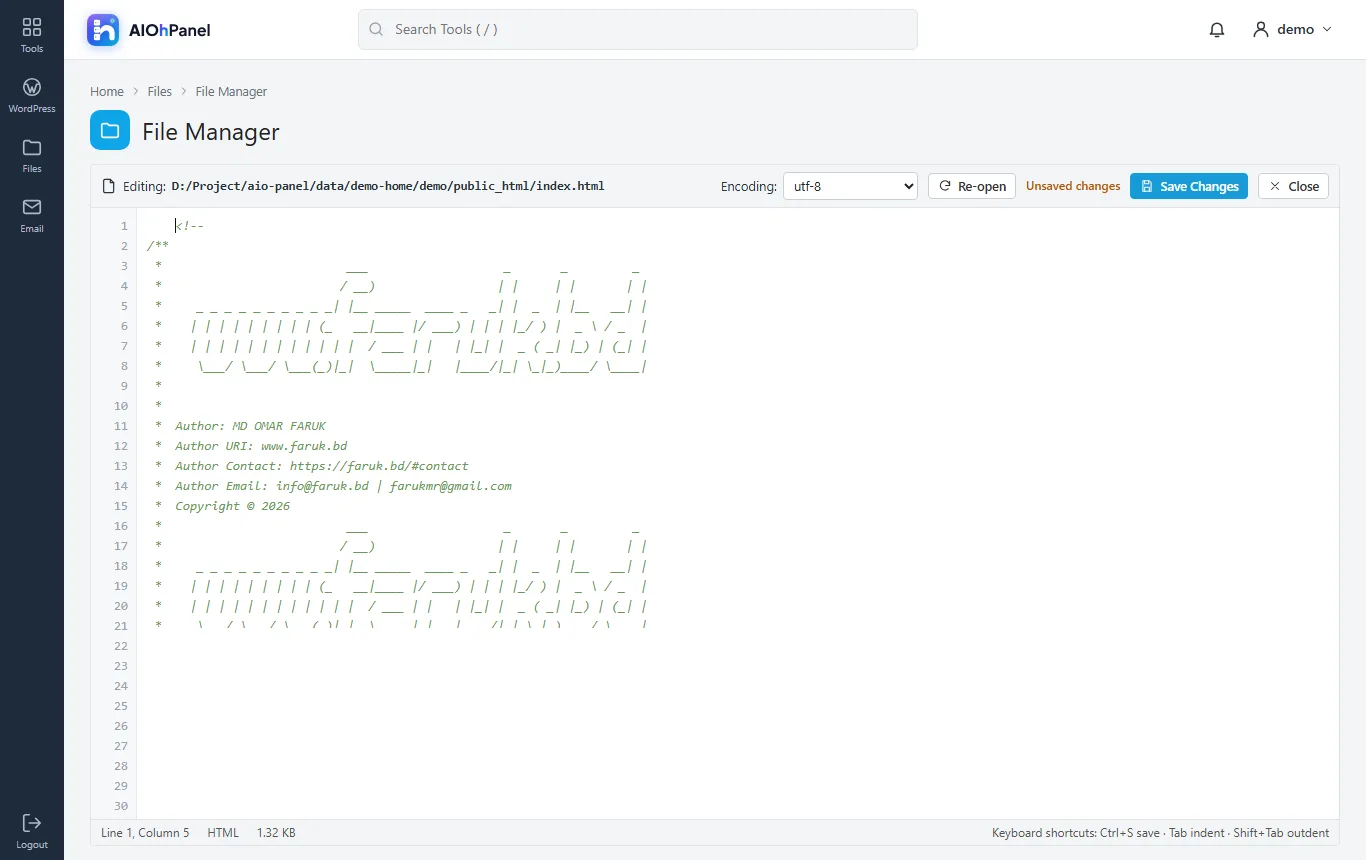
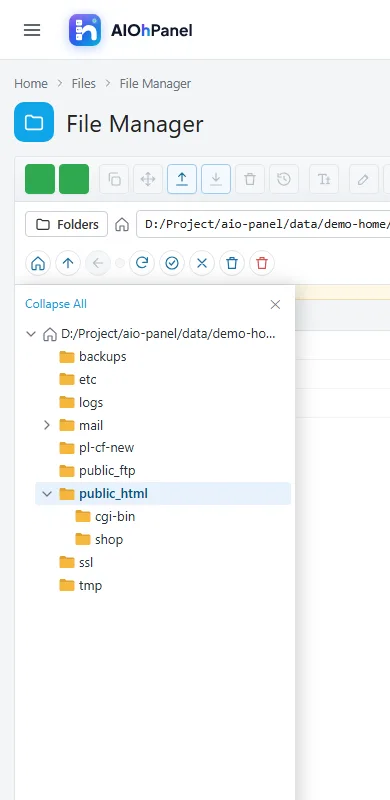
- File Manager: upload, new file/folder, copy, move, rename, edit, HTML editor, permissions, compress, extract, trash
- Accounts, packages, feature lists, resellers with ACLs, suspension, quotas, bandwidth limits, demo mode
- Apache virtual hosts + PHP-FPM pools per account, PHP Versions, INI editor
- BIND DNS zones with the Zone Editor, e-mail routing, MX, SPF/DKIM/DMARC
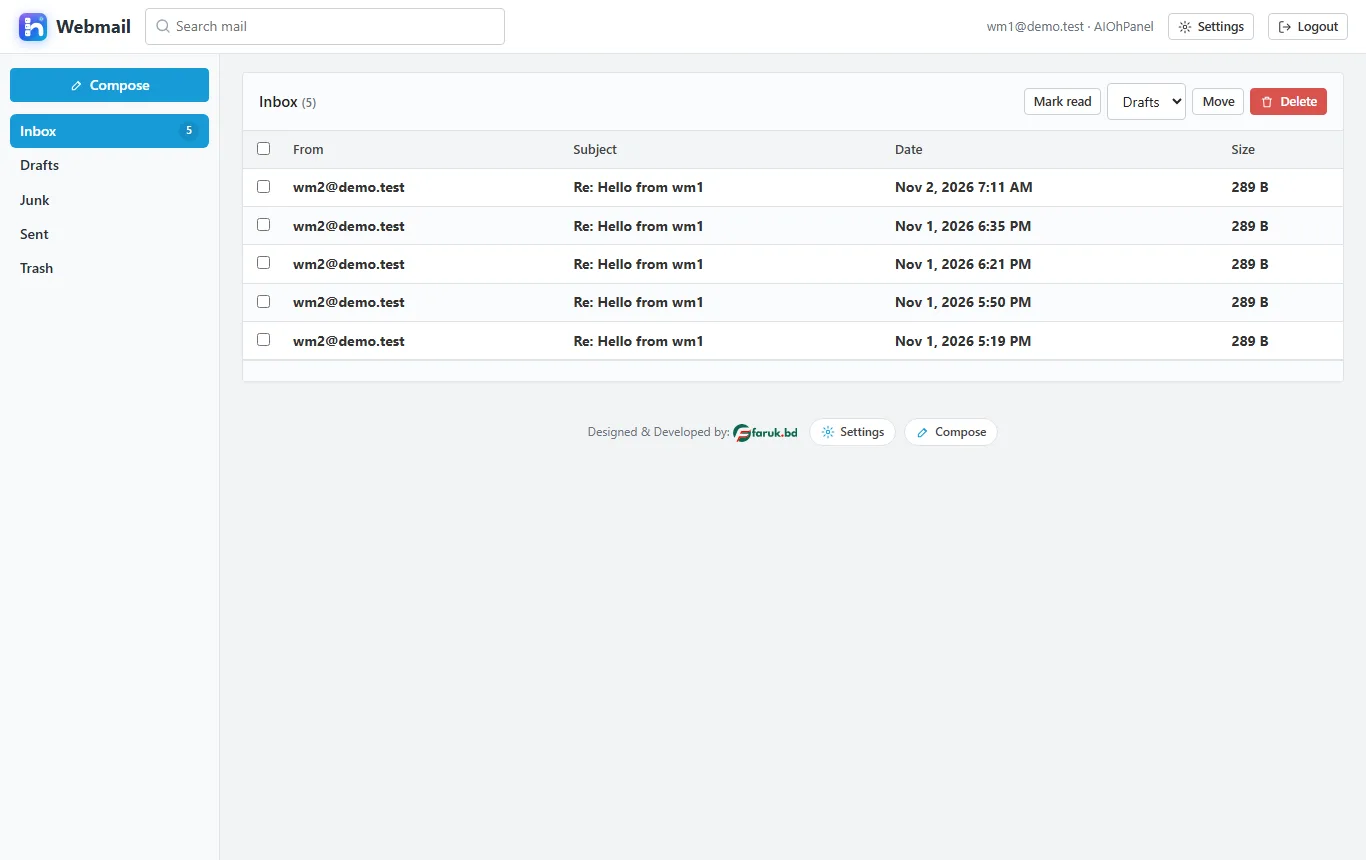
- Postfix + Dovecot mailboxes, forwarders, autoresponders, filters, mailing lists, queue manager
- MariaDB databases and users with privileges, remote hosts, phpMyAdmin, repair and process list
- Auto SSL (Let's Encrypt), CSR / key / self-signed generation, install on a domain, service certificates
- Backups (full / home / mysql / email), restore, scheduled runs with retention
- Brute Force Protection, host access control, two-factor sign-in, API tokens, hooks
- Manager API and Panel API JSON APIs, a CLI (aiohpanel), the panel cron with heartbeat
- Plugins (free and premium) and themes with zip upload; English and Bengali
- install.sh for Ubuntu 22.04/24.04, Debian 12, AlmaLinux / Rocky 8/9; a demo driver to try the panel anywhere
Screenshots
See it before you buy
screenshots - click a picture to see it full size.
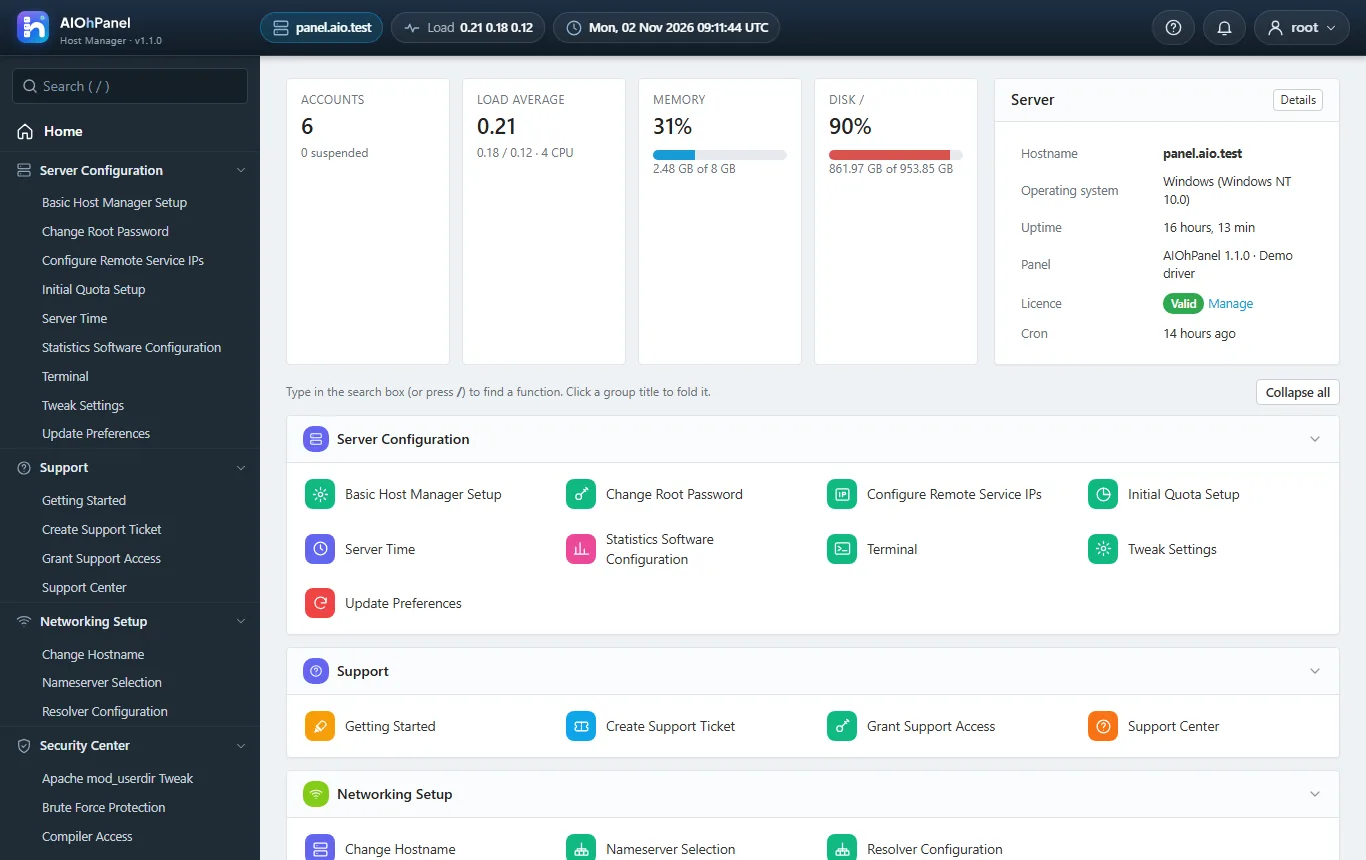
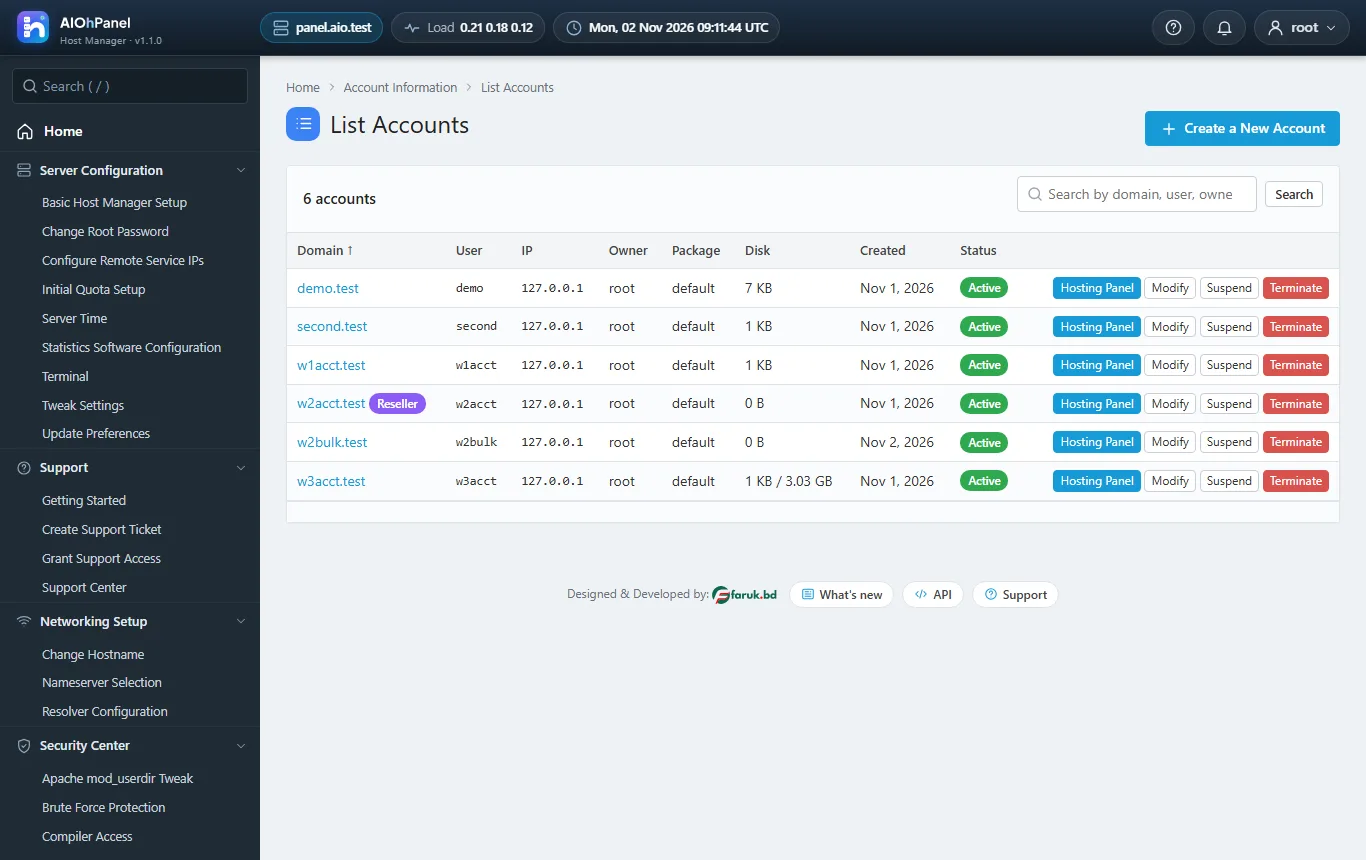
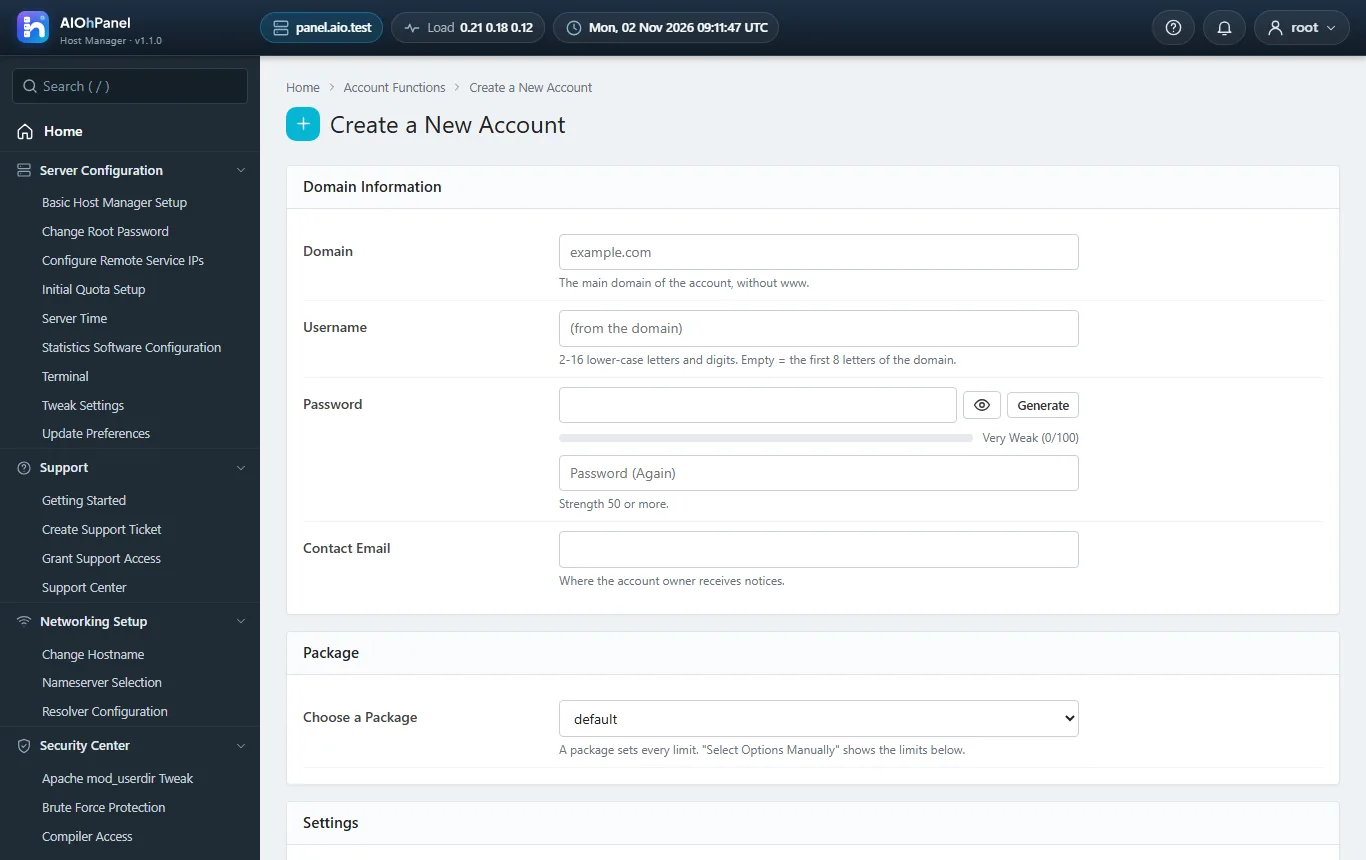
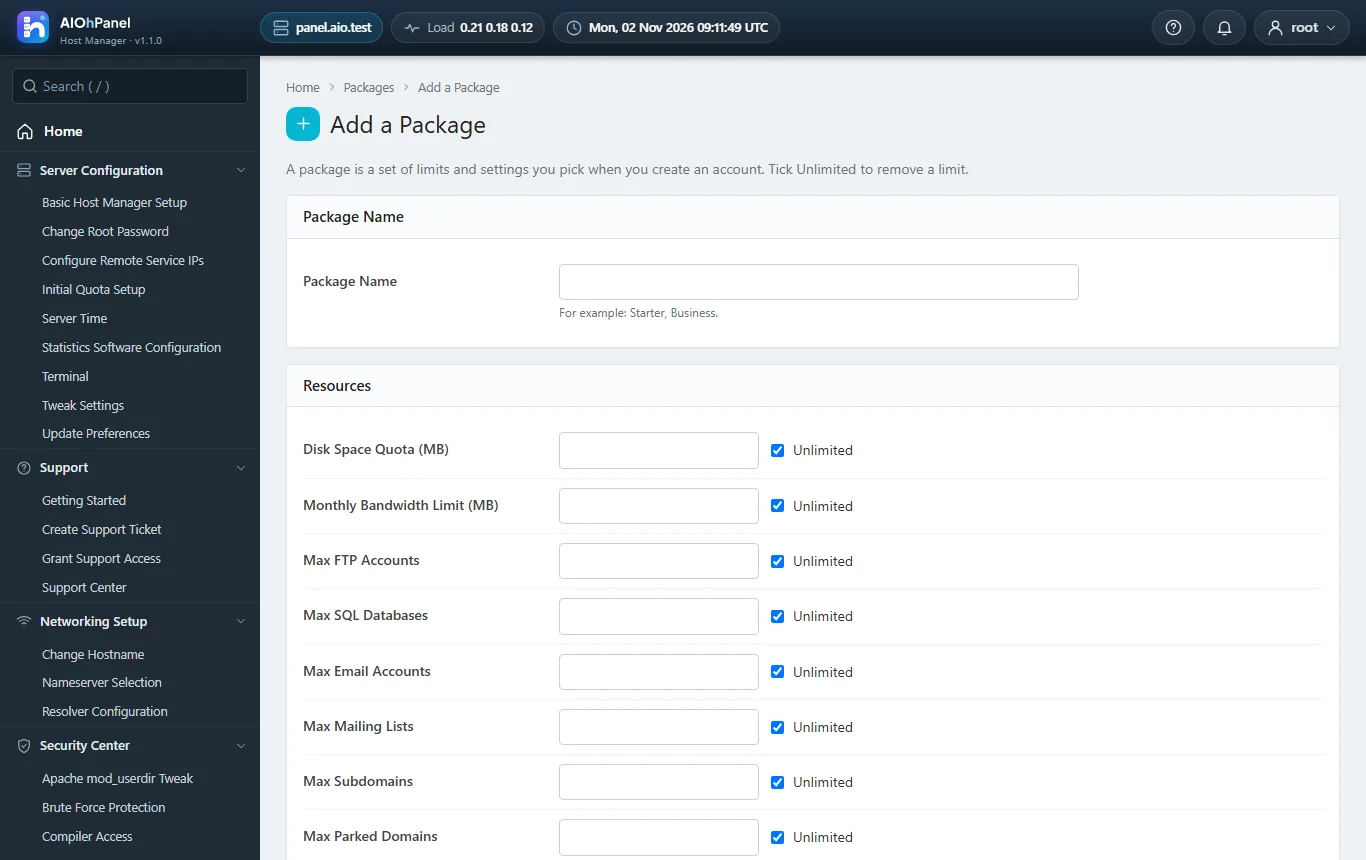
Packages
Choose your plan
Every package is for AIOhPanel. Pay once or by subscription - your key is issued the moment the payment is confirmed.
Solo - 5 accounts
$79.00
one-timeTk9,500
AIOhPanel — Solo - 5 accounts licence
- One server, up to 5 hosting accounts
- Host Manager + hosting panel with every function and the free plugins
- 100% source code, no encoding
- 12 months of support and updates
- Premium plugins and themes sold separately
- 1 domain
Includes: Site Software, Terminal, Security Advisor, Cloudflare
plugins can be added at checkout
Buy Solo - 5 accounts
Pro - 50 accounts
$199.00
one-timeTk23,900
AIOhPanel — Pro - 50 accounts licence
- One server, up to 50 hosting accounts and resellers
- Host Manager + hosting panel with every function and the free plugins
- 100% source code, no encoding
- 12 months of support and updates
- Free installation on request
- Premium plugins and themes 10% off
- 1 domain
Includes: Site Software, Terminal, Security Advisor, Cloudflare
plugins can be added at checkout off
Buy Pro - 50 accounts
Unlimited & All Plugins
$399.00
one-timeTk47,900
AIOhPanel — Unlimited & All Plugins licence
- One server, unlimited hosting accounts and resellers
- Host Manager + hosting panel plus every premium plugin and theme
- 100% source code, no encoding
- 12 months of priority support and updates
- Free installation on request
- Saves over $150 against buying the plugins apart
- 1 domain
Includes: Site Software, Terminal, Security Advisor, Cloudflare, WordPress Toolkit +4
Buy Unlimited & All Plugins
One account for every product. Pay by bKash, Nagad, bank transfer or card - the key and the invoice arrive as soon as the payment is confirmed.
Plugins
Extend AIOhPanel
plugins - switch on only what you need, each with its own key.
Scans every account home for web shells, injected scripts and known malware signatures; quarantines what it finds.
Sends the scheduled account backups to Amazon S3, any S3-compatible bucket, FTP/SFTP or Google Drive, with retention.
A CSF-style firewall and login-failure daemon managed from Host Manager: allow / deny lists, ports, country blocks, tem…
A dark theme for the hosting panel: the same tools, easy on the eyes, with its own colour options.
One-click installers for WordPress, Joomla, Laravel, Drupal and more, in the hosting panel.
FreeDetails
Checks the server against a list of good practices and tells you what to fix.
FreeDetails
Pushes a domain's DNS records to Cloudflare and toggles the proxy, from the Zone Editor.
FreeDetails
0 plugins Buy them together
Documentation
The manual
Chapter by chapter: installing, updating, and everything in between.
Getting started
The Host Manager
The hosting panel
Webmail
Under the hood
Plugins and themes
Help
Changelog
What's new
Questions
Before you buy
Do I need an account?
Yes - one free account here holds every licence you buy, for every product, with your invoices and support tickets.
How do I get my licence key?
Buy a package and pay by bKash, Nagad, bank transfer or card. As soon as the payment is confirmed the key is e-mailed to you and appears in your account.
Can I add plugins later?
Yes. Each plugin has its own key and unlocks inside the installation you already run - nothing to reinstall.
What happens when a new version comes out?
Your installation offers the update itself, and takes a full backup first, so updating is one click.
Community
Reviews & comments
Rate it, ask a question or tell others how you use it. Everyone here is a signed-in LCPanel member - verified buyers are marked and come first.
–
★★★★★★★★★★No reviews yet
Write a review
Add stars to your comment and it becomes a review.
Loading reviews and comments…